Role
User Research
Product Strategy
UI Design
Usability Testing
Tools
Figjam
Confluence
Figma
Notion (for notes)
⚠ Disclaimer
EY work is covered by an NDA — these case studies focus on the research approach, design decisions, and impact rather than on final deliverables.
Workflow - Bulk Edit
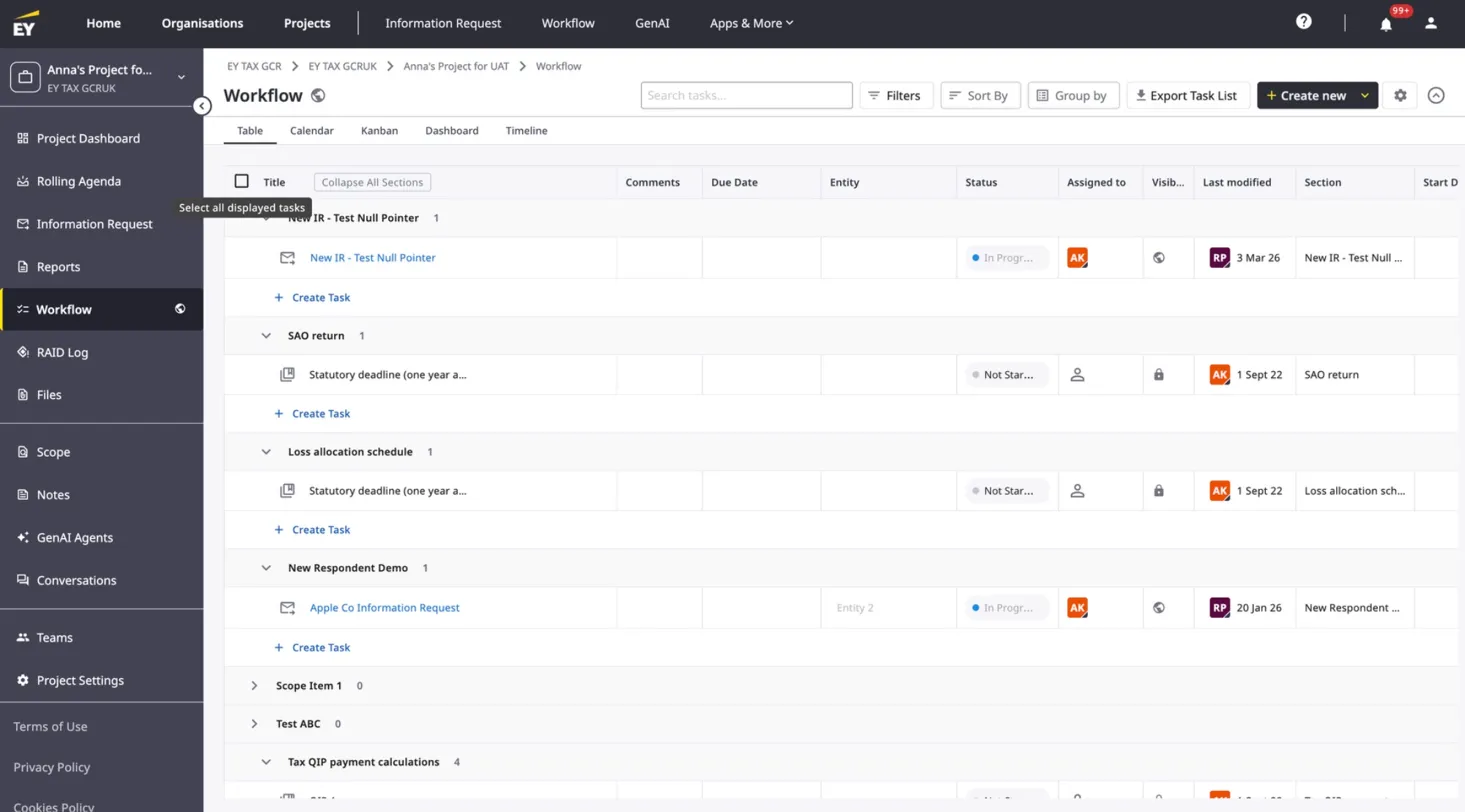
Workflow is Beehive's task management system built for tax professionals managing complex, multi-entity client engagements. Teams use it to create and organise tasks with due dates, assignees, dependencies, statuses, and file attachments — structured across sections to mirror the shape of a tax project.
The Problem
On large engagements, a single Workflow project can contain thousands of tasks. When project circumstances change — a deadline shifts, a team is reorganised, an entity scope changes — tax professionals had no way to update multiple tasks at once. Every change had to be made task by task, manually. For teams managing hundreds of tasks under compliance deadlines, this was a significant time drain.
Design Challenge
The technical constraint was real: with projects potentially containing up to 10,000 tasks, bulk editing everything at once wasn't feasible without serious performance implications. The design challenge was how to give users genuinely useful bulk editing capability within that constraint — without making the limitation feel arbitrary or frustrating.
The Approach
I worked with the engineering team to establish that selecting and editing up to 100 tasks at a time was technically viable without performance degradation. The design then needed to make that constraint feel natural rather than imposed.
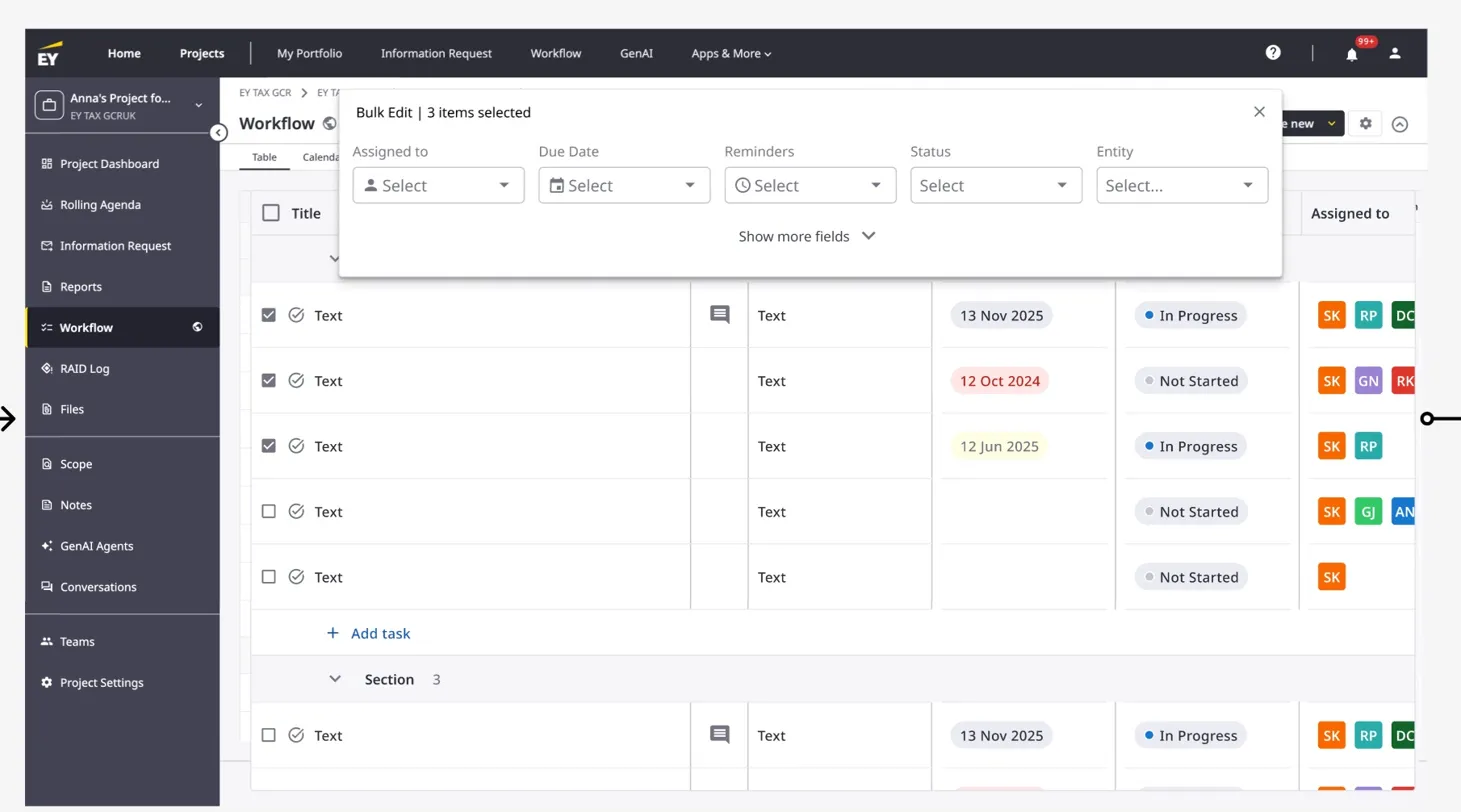
The solution was a "Select all displayed tasks" checkbox in the top-left corner of the table — a familiar pattern from tools like Asana and Monday.com that users would recognise immediately. When triggered, it selects the first 100 tasks in the current view. The count is surfaced directly in the bulk edit modal header ("Bulk Edit | 3 items selected"), so users always know exactly what they're acting on.
The modal itself was designed with progressive disclosure in mind — the five most commonly edited fields (Assigned to, Due Date, Reminders, Status, Entity) are visible upfront, with a "Show more fields" option for less frequent edits. This keeps the modal focused and avoids overwhelming users who just need to quickly reassign a batch of tasks.
Results
The bulk edit feature has shipped and is now available to all Workflow users across client engagements. Tax professionals can now update assignees, due dates, statuses, reminders, and entities across up to 100 tasks at once — turning what was previously a manual, time-consuming process into a single interaction.